Style Icon Presets
Inject business icon presets into Power BI visuals — Action Buttons, Cards, and Advanced Slicers — straight from your theme JSON. No manual editing required.
Drop in your existing Power BI .json theme or start with the built-in starter. Everything runs client-side.
Choose from curated business icons (Sales, Finance, HR…) and select which visuals receive the presets.
Named presets are injected into visualStyles and the theme downloads instantly — ready to apply.
Featured Content

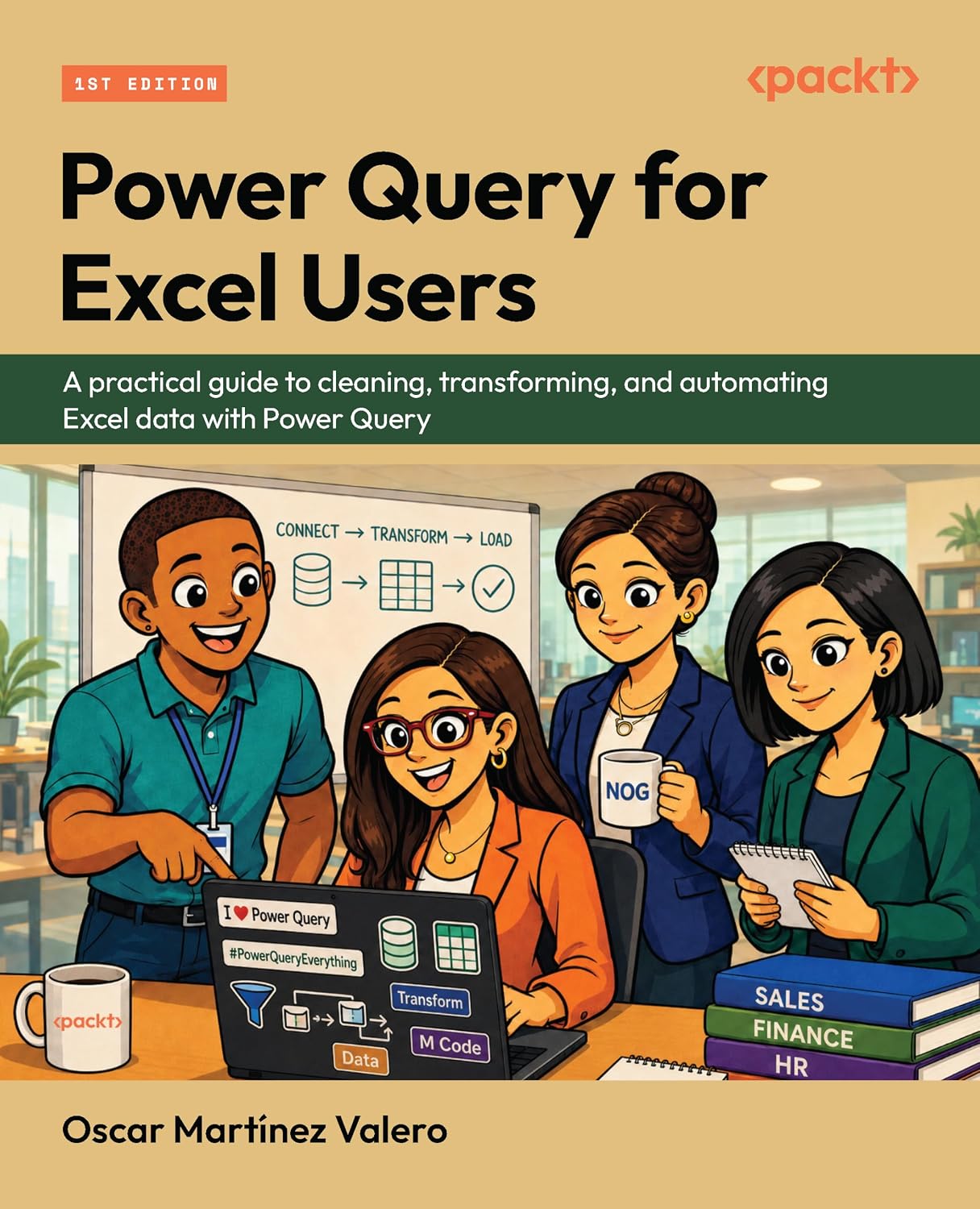
Power Query for Excel Users — New Book
12 real workplace scenarios. Every chapter ends with a deliverable. Follow Quinn from messy exports to a working data model. Published by Packt.
Power BI SVG Measures: 7 Use Cases, 17 Rules, and an AI Prompt
Power BI SVG measures: stop breaking yours. Learn where to use them, follow 17 priority-based rules, and grab an AI prompt template for bulletproof visuals.
Connecting Clockify to Power BI: Three Integration Patterns That Work
Connect Clockify to Power BI three ways: hand-rolled Web.Contents calls, the free custom connector, or a ready-made template. Pick by build versus ship.
bibb Analytics: Designing Measurement Like a BI Problem
The same framework we apply to client BI work applies here: goals first, layers second. Here is the strategy behind bibb.pro's analytics.
bibb Analytics Build in Public: Introduction
bibb.pro had GA4 running since day one. Events were firing. Data was collecting. But without a strategy, that is noise with a database attached. This series documents fixing that.
Git for Power BI and Fabric Users: A Beginner's Guide
Power BI and Fabric development is moving toward programmatic workflows. Here is what Git is, how to install it on Windows, and how to use it as a BI or Fabric developer.
6 Power BI Modern Button Slicer UI Patterns for Better Dashboards
Learn 6 Power BI Button Slicer UI patterns to build modern dashboards: segmented controls, tabs, KPI cards, toggle buttons, and more.
Salesforce Power BI Integration: A Practical Comparison Guide
Salesforce Power BI integration done right: compare native connectors, custom API, and the Metrica connector to choose the best approach for your team.

How to Design Better KPIs Before They Mislead You
How to design better KPIs starts with knowing what your formula isn't measuring. A real BI case study in dashboard blind spots, with DAX examples and a fix.
AI Agent Skills: Stop Paying for Tokens You Don't Need
AI agent Skills replace bloated instruction files with on-demand context loading — cutting token waste by 80% for Excel and Power Query workflows.
KPI Tree for Performance Management: A Visual 7-Step Guide
KPI Tree for Performance Management: a practical 7-step method to align strategy with KPIs, cut metric overload, and create dashboards people actually use.
Load your theme
Drop your theme.json here
or click to browse files
Don't have a theme yet? The Theme Generator lets you build one visually.
Choose icons & visuals
Inject into these visuals
Loading icons…
Inject & download
Load a theme file in Step 1 to continue
How to apply your style presets in Power BI
- 1Download your updated theme JSON using the button above.
- 2In Power BI Desktop, go to View → Themes → Browse for themes and select the downloaded file.
- 3Add an Action Button, Card (new), or Advanced Slicer visual to your report.
- 4In the Format pane, find the Style preset dropdown — your injected preset names (e.g. "Sales", "Revenue") will appear there.
- 5Select a preset and the icon is applied instantly. Presets travel with the theme file.
Comments
Share feedback, icon requests, or ask questions below.